
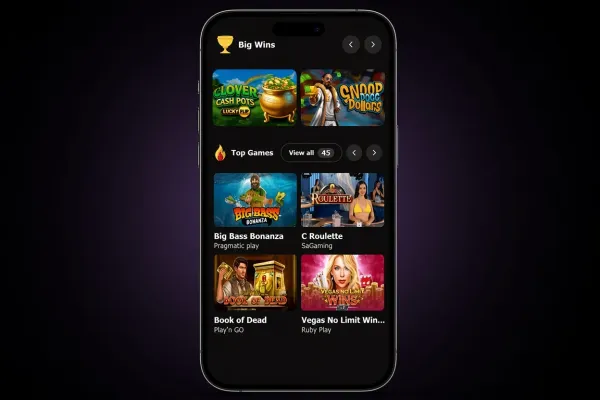
There is no MrJones Casino app for Android, so the way to play on an Android phone is the mobile website. You open it in your browser and need nothing to download from an app store. Nothing needs to be installed on the phone, and no separate program is kept there between sessions. If you already have an account, you can go straight to the login page. New players can start on the sign up page. The rest of this page explains what to expect from the browser, how to keep your account secure on the phone, and what to check before you play.
What you can do on an Android phone

The mobile site is the version of the MrJones Casino website that opens in your phone's browser, and it is the route to use on Android. Logging in, signing up and opening the games all happen from the same address. You move between them the way you would on a computer, by tapping instead of clicking. The mobile version page sets out what the mobile site covers.
The main difference from a computer is how you get in. Without an installed app, nothing sits on your phone between sessions except the browser and whatever it keeps in its history and cache. A shortcut on the home screen is only a link to the website. It does not hold a copy of the games, so you need a connection each time you play.
A smaller screen also makes it easier to miss details. Before you stake on any game, open its rules and paytable and read them through. Results are random, but the rules tell you how a round works, which features it has and what the maximum win is. Those points matter more on a phone, where a stake can be changed by accident if you are not careful.
Check the stake shown on screen before each round, since a small screen makes it easy to change a value with a stray tap.
Playing without an app: what to expect

There is nothing to find in an app store and nothing to install, so the only route is the browser. Open Chrome or another browser you already use, and type the address of the MrJones Casino website yourself, or open it from a bookmark you saved. Do not install any app that claims to be MrJones Casino, and do not follow a link to the site from a message or page you do not know. Such links can lead to copies of the site that look similar but are not the one you intended.
Playing in the browser depends on your connection. A weak signal can slow pages and games, and a session can drop if the connection is lost. If that happens during a round, reload the page once you are back online and check whether the round finished before you continue. Mobile data usually loads more slowly than a steady Wi-Fi connection, so a stable connection makes play smoother.
Keep the browser up to date. Older versions can display pages less reliably, and some games may not load at all. If a page does not load, close the tab and open the site again. If the problem continues, restart the phone and check the connection before you try again.
Keeping your account safe on your phone

Start with the phone itself. Set a passcode, or a fingerprint or face lock, so nobody can open the browser and reach your account. Do not share an unlocked phone, and do not leave the browser open on a screen others can see. On a phone that other people use, log out after each session and do not save your password in the browser.
Mobile data counts towards your allowance, and games with video or animation use more of it than plain pages. Check your data plan before a longer session, and use Wi-Fi where you can. Avoid public networks when you log in, because a shared connection makes it easier for someone else to see what you enter.
If the account offers deposit limits or time-out tools, set them before you play, not in the middle of a session. The safer gambling page explains how to keep play within limits. MrJones Casino does not hold a licence from the UK Gambling Commission, so the rules that apply to licensed operators, including GAMSTOP self-exclusion, do not cover MrJones Casino. You can check the Gambling Commission register yourself.