
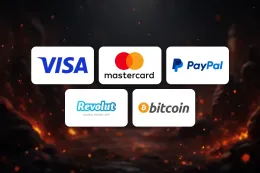
To make a deposit at MrJones Casino, log in, open the cashier and pay with one of the listed methods. The steps above show the order, and the table shows which methods can be used for deposits.
Before you start, have your login details, your chosen payment method and, if you have not yet been through it, your identity documents. MrJones Casino requires identity verification, so it helps to have a photo ID and proof of address to hand. The rest of this guide covers what sits behind the steps, what to do when a payment fails and how to keep control of what you spend.
What stands behind a deposit

The payment methods
MrJones Casino accepts Visa, Mastercard, PayPal, Revolut, Bitcoin (BTC) and Tether (USDT). They fall into three groups, and each behaves differently in practice.
- Cards (Visa and Mastercard). The payment comes from your bank account and shows on your statement. Use a debit card: credit cards are banned for gambling in Great Britain.
- E-wallets and app-based accounts (PayPal and Revolut). The money moves from your wallet balance or the account linked to it. Check that the balance covers the amount you enter.
- Cryptocurrency (Bitcoin and Tether). You send coins from your own wallet to an address shown in the cashier. Crypto transfers generally cannot be reversed, so check the address and the network before you send anything. Coin values can also change between the moment you send and the moment the payment arrives.
The table above lists each method for deposits. Withdrawal options are a separate matter and are covered on the withdrawals page.
Name matching and verification
As a general rule, pay with a method held in your own name. A payment from a card, wallet or crypto account that belongs to someone else is the most common reason for a payment to be queried, and it can cause problems later when you want to take money out. Use your own method every time, and keep the name on your MrJones Casino account identical to the name on your ID.
MrJones Casino requires identity verification. Verification usually means a photo ID and proof of address, and sometimes proof that a payment method is yours. The guide to verifying your account covers the documents and the common reasons for a rejection. If you have not registered yet, sign up first and enter your details exactly as they appear on your documents.
The licence position
Under the rules for operators licensed by the UK Gambling Commission, a customer must be verified and offered deposit limits, time-outs and self-exclusion through GAMSTOP. MrJones Casino does not hold a licence from the UK Gambling Commission, so it is not licensed to offer gambling to players in the United Kingdom, and those rules and GAMSTOP do not cover it. No licence from another regulator was found for MrJones Casino either. You can check any operator yourself on the Gambling Commission register.
Before you confirm
Look at the amount field twice. Make sure the method you picked is the one you intended and that the currency shown is the one you expect. If you are thinking of a bonus, read its terms before you pay, because the payment itself does not change them.
18+ · T&Cs apply
Common problems and what to do

The payment is declined
Start with the simple causes: a typing error in the card number or expiry date, not enough money in the account, or a payment limit set by your bank or wallet. Retry once after checking each detail. Repeated attempts in a row can trigger extra security checks on your bank's side, so stop after a second failure rather than trying again and again.
If your bank blocks the payment, the reason is usually shown in your banking app or given by the bank's support line. Some banks let customers block gambling transactions entirely. If you have set such a block, it will also stop a payment to MrJones Casino.
The method is not accepted
Only the methods in the table above are listed for deposits. If you try something else, such as a different wallet or a prepaid voucher, it will not appear as an option. Choose one of the listed methods instead. If you were about to use a credit card, switch to a debit card or another listed method.
A crypto deposit has not arrived
Crypto payments depend on the network you send over. If the coins have left your wallet but nothing shows in the cashier, look up the transaction in your wallet's history and check that you used the correct network and address. Keep the transaction ID, then contact support with it. Do not send the same amount again until you know where the first payment went.
A verification request appears
If MrJones Casino asks for documents, send clear, complete images: all four corners of the document visible, text readable, nothing cropped or edited. A rejected document usually has a simple cause, such as a blurred photo, an expired ID or an address proof that does not show your name. Send a fresh version instead of arguing the rejection. Never try to get round a check with someone else's documents or details, as that is likely to make things worse.
Forgotten password or login trouble
Use the password reset on MrJones Casino's own login screen. The page on logging in covers the steps in more detail. Do not follow a reset link that comes from an unexpected message, and type the website address yourself rather than clicking through from an email.
When to contact support
If the steps above do not fix it, contact MrJones Casino support. Live chat is available 24/7 (live chat, English). Have your username, the payment method, the amount, the date and time of the attempt and any transaction ID to hand. Screenshots of an error message help the agent find the problem faster. Keep the conversation on live chat rather than closing it and starting a new one later, so the agent can see what you have already tried.
Keeping your account and spending under control

Enter your password only on MrJones Casino's own website, never on a page reached from a message or an advert. Use a password you do not use anywhere else, and keep your documents and payment details out of shared folders and public devices.
Decide how much you are willing to spend on entertainment before you open the cashier, and treat that figure as gone once it is deposited. Do not top up to chase a loss. If your bank or e-wallet offers spending limits or a gambling block, setting one gives you a control that does not rely on a decision made in the moment. GAMSTOP does not cover MrJones Casino, so these controls are worth setting up with your own bank. If gambling stops feeling like entertainment, GamCare offers free support.
Finally, keep a record of your deposits. Your bank statement or wallet history shows what you have paid in, and checking it regularly makes it easier to notice if spending has crept up. If you have questions about the payment options on this page, the FAQ covers other common topics, and the terms and conditions set out the rules that apply to your account.