

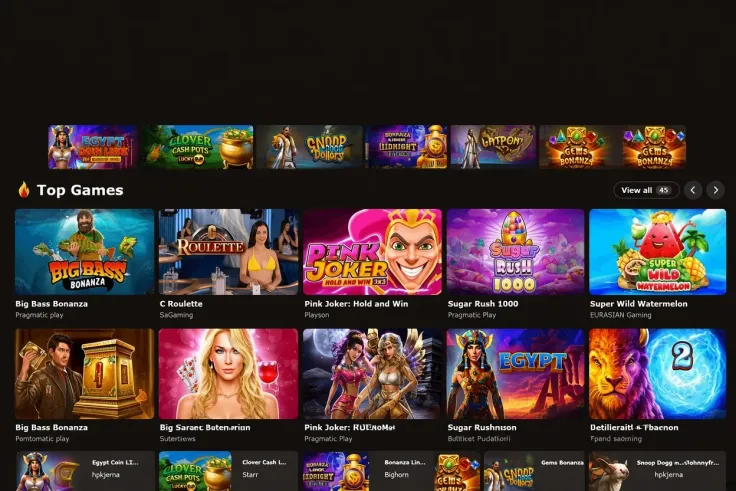
To log in to MrJones Casino, open the MrJones Casino website and sign in with the email or username and password you registered with. The steps above set out the order, and the rest of this page explains what sits behind them and what to try when a login fails.
Have your registration details ready before you start. If you cannot remember whether you used an email address or a username, work that out first, so you are not guessing at several combinations. There is no login form on this page, so type your password only on MrJones Casino's own website and nowhere else.
What stands behind the login

A login only checks that the details you enter match the account. It is a different thing from the identity checks that apply to the account itself, and the two are easy to confuse. If you have never registered, the sign-up guide comes first, because there is nothing to log in to until an account exists.
Email or username, and the password
The steps above say to enter the email or username you registered with. Use exactly the same form you used at registration. A common slip is to type an address you use for most things rather than the one you gave MrJones Casino, or to use an old username. If your browser or password manager offers saved details, check that the saved entry belongs to MrJones Casino and not to another site with a similar name.
Passwords are case-sensitive on almost every website, so a stray capital letter or a switched-on caps lock is enough to fail a login. Type the password slowly, or use the option to reveal it while you type, if the screen offers one, rather than guessing at variations. Repeated wrong guesses rarely help and are a reason to use the reset option instead.
Desktop and mobile
The website works on desktop and on mobile browsers. MrJones Casino has no iPhone app and no Android app, so on a phone you log in through the browser in the same way as on a computer. You can read more about what the mobile site is like in the mobile version guide.
Because no app exists, any app or download that asks for your MrJones Casino password is not something you should trust. The same goes for a link in a message that takes you to a page asking you to sign in. Open the website yourself from a bookmark you made once you were sure you were on the right site.
Identity checks
MrJones Casino requires identity verification. This is separate from logging in: you can usually expect to be asked for proof of who you are, such as a photo ID and proof of address, and for the details to match what you registered with. Names matter in particular. If the name on your account differs from the name on your documents or on the payment method you use, expect questions. The verification guide explains the documents and the usual reasons they are turned down.
What the licence position means for your account
Operators holding a UKGC licence must verify age and identity before a customer can deposit or play, and must offer deposit limits, time-outs and self-exclusion through GAMSTOP. MrJones Casino does not hold a UKGC licence, so those duties and GAMSTOP do not cover your account there. You can read more in our safety review of MrJones Casino, and you can check the licence register for yourself on the Gambling Commission website.
18+ · T&Cs apply
Common login problems and what to do

Most failed logins come down to a handful of causes. Work through them in order before you contact anyone.
The password is not accepted
First check that you are on the correct website, then retype the details carefully. Look at caps lock, and check whether a password manager has filled in an older entry. If a couple of careful attempts fail, stop and use the password reset option on the login screen instead of trying more variations.
When you choose a new password, make it one you have not used on any other site. If the reset does not work, move on to support, described below.
You are not sure which email or username you used
Think about which email addresses you use for sign-ups, and try the one you would have chosen when you registered. Check your inbox for any past messages connected with MrJones Casino, as these can remind you which address you used. Searching your mailbox for the casino's name is a quick way to find them. Try only the details that you believe are yours: guessing at other people's accounts is not something to do.
If you are not sure that you ever completed registration, the sign-up guide explains what registering involves.
The page will not load or looks wrong
Start with the simple things: check your internet connection, refresh the page, and try another browser or a private window. On a phone, switch between mobile data and Wi-Fi to see whether the connection is the cause. Clearing the browser's stored data for the site can also help if the page loads in a broken state.
If the page opens but looks different from what you expected, or asks for more details than a normal login would, close it. A genuine login page asks for your sign-in details and nothing else, and a page that asks for card numbers or for your full banking login at that stage is a warning sign. Leave and open the site again from a bookmark or by typing the address yourself.
A document or verification request
If you are asked to verify your identity after logging in, follow the request on the MrJones Casino website rather than through a link someone sent you. If a document is rejected, the usual causes are a blurry image, a cut-off corner, an expired document or a name that does not match the account. The verification guide goes through these.
Do not try to get around a check by using someone else's documents or a different name. If the details on your account are wrong, tell support rather than working around it.
When to contact support
Contact MrJones Casino support if the password reset does not work, if you think someone else has used your account, or if the website will not let you in despite correct details. Live chat is the support channel, and it is available 24/7 (live chat, English).
Have your registered email or username ready, and describe what you see on screen in plain words, including any message that appears. Never give your password to support or anyone else: a genuine member of staff has no need for it. If you want the site's own contact options for this guide, our contact page lists how to reach us as a review site, which is separate from MrJones Casino's own support.
Keeping your account secure and under control

A few habits protect an account and make logins less of a hassle.
- Use a password that is yours alone. Use a long, unique password for MrJones Casino, not one shared with your email or banking. A password manager makes this easy.
- Type or bookmark the address. Reach the website through a bookmark you made yourself, not through links in messages or adverts. Because there is no app, a download claiming to be MrJones Casino should not be trusted.
- Sign out on shared devices. If you log in on a computer or phone that someone else uses, sign out when you finish and do not let the browser save the password.
- Keep your details up to date. Registration details that match your documents make later checks simpler, and it is worth knowing which email you used.
- Keep your documents ready. A clear photo ID and proof of address, both showing the same name as your account, mean fewer delays if verification is requested.
Logging in is also a moment to decide how much time and money you want to spend. Since GAMSTOP does not cover MrJones Casino, the controls that remain are your own: a deposit limit or gambling block through your bank, and reminders on your own device. If gambling is starting to feel hard to control, GamCare offers support, and our safer gambling page lists the tools available.
Finally, if you are still looking for general answers about the site, the FAQ covers other common questions.